
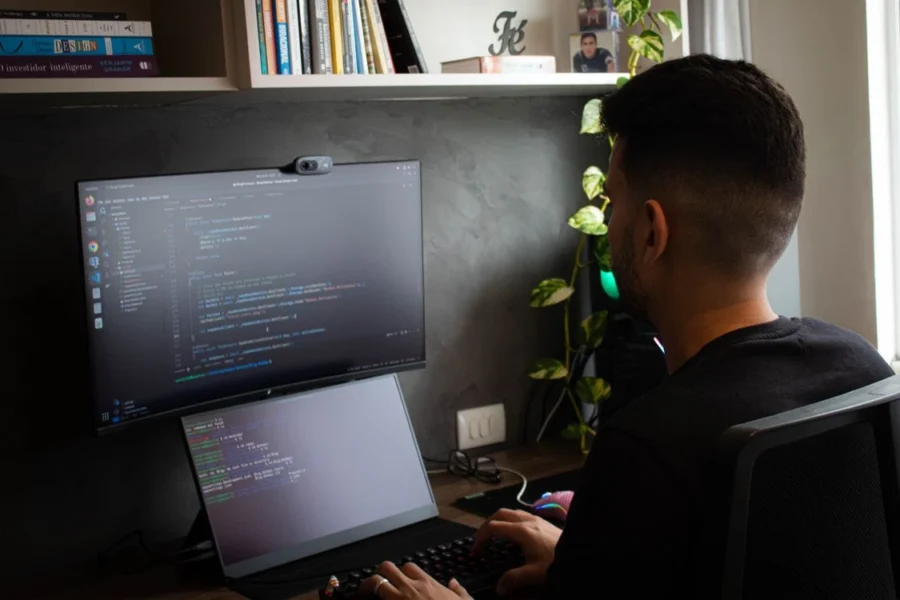
Remote work has changed how many professionals approach their workspaces. For software developers, designers, and digital creators, the home office is no longer a temporary setup—it has become the primary place where ideas are developed, projects are completed, and careers are built.
While many people focus on purchasing the latest laptop or monitor, the overall workspace plays an equally important role in productivity. Lighting, furniture, organization, and digital tools all contribute to a more efficient and enjoyable workday.
Creating a home office that supports deep focus doesn’t require unlimited space or an expensive renovation. Thoughtful planning and the right workflow can make a significant difference.
Start With an Ergonomic Foundation
Long hours at a computer demand a workspace designed for comfort.
A few essential upgrades include:
- An adjustable office chair
- A desk positioned at the correct height
- A monitor at eye level
- Proper keyboard and mouse placement
- Adequate lighting to reduce eye strain
These improvements help minimize fatigue and support better posture throughout the day.
Keep the Workspace Free From Clutter
Physical clutter can make it harder to concentrate.
A clean desk encourages a clearer mind by reducing unnecessary distractions.
Simple habits include:
- Keeping only essential equipment on the desk
- Using cable management solutions
- Organizing stationery in drawers or organizers
- Storing documents digitally whenever possible
An organized workspace makes it easier to focus on complex tasks without visual distractions.
Natural Light Improves Productivity
Lighting influences both mood and concentration.
Whenever possible, position your desk near a window to maximize natural daylight.
Supplement natural light with adjustable desk lamps to reduce glare during evening work sessions.
Adding indoor plants can also make the workspace feel more inviting while improving the overall atmosphere.
Technology Matters as Much as Furniture
Developers rely on software every day to write code, test applications, communicate with teams, and manage projects.
A productive setup often includes:
- Reliable development environments
- Code editors
- Browser testing tools
- Screenshot utilities
- Clipboard managers
- File organization apps
- System maintenance tools
Using integrated productivity software helps reduce context switching between multiple applications.
Professionals looking to simplify their workflow often explore solutions like Setapp for developers, which brings together a curated collection of Mac applications designed to support coding, productivity, file management, and everyday development tasks in one subscription.
Choosing tools that work well together allows developers to spend more time solving problems instead of managing software.
Reduce Digital Distractions
Even a perfectly designed office won’t improve productivity if constant interruptions break concentration.
Consider strategies such as:
- Silencing unnecessary notifications
- Scheduling dedicated focus sessions
- Closing unused browser tabs
- Using website blockers during coding sessions
- Organizing project files into logical folders
Small adjustments can dramatically improve deep work.
Invest in Better Audio
Noise is one of the biggest productivity challenges in home offices.
Quality headphones or noise-canceling earbuds help create a distraction-free environment, especially in shared living spaces.
Background music or ambient sounds can also improve concentration for some professionals.
Personalize Without Overcrowding
A productive office should also feel comfortable.
Adding personal touches such as framed artwork, shelves, or decorative accessories creates a workspace that reflects your personality.
The key is maintaining balance—too many decorative items can become distracting rather than inspiring.
Minimalist design often works well because it combines comfort with simplicity.
Think Beyond Today
As careers evolve, workspace requirements often change.
Choosing flexible furniture and modular storage makes it easier to adapt the office over time.
Whether adding a second monitor, upgrading equipment, or expanding storage, planning for future needs helps avoid unnecessary redesigns.
A well-designed office should continue supporting productivity for years to come.
The Connection Between Environment and Creativity
Developers spend much of their day solving problems that require creativity and logical thinking.
An organized, comfortable environment reduces unnecessary stress and allows more mental energy to be directed toward meaningful work.
When physical spaces and digital workflows complement one another, professionals can work more efficiently while maintaining a healthier work-life balance.
Final Thoughts
Building a productive home office is about more than selecting stylish furniture. It’s about creating an environment that supports focus, comfort, and efficient workflows every day.
By combining ergonomic design, thoughtful organization, reliable technology, and productivity-focused software, developers can create workspaces that encourage both creativity and consistency. Whether you’re setting up your first home office or improving an existing one, investing in your workspace is ultimately an investment in your long-term success.