
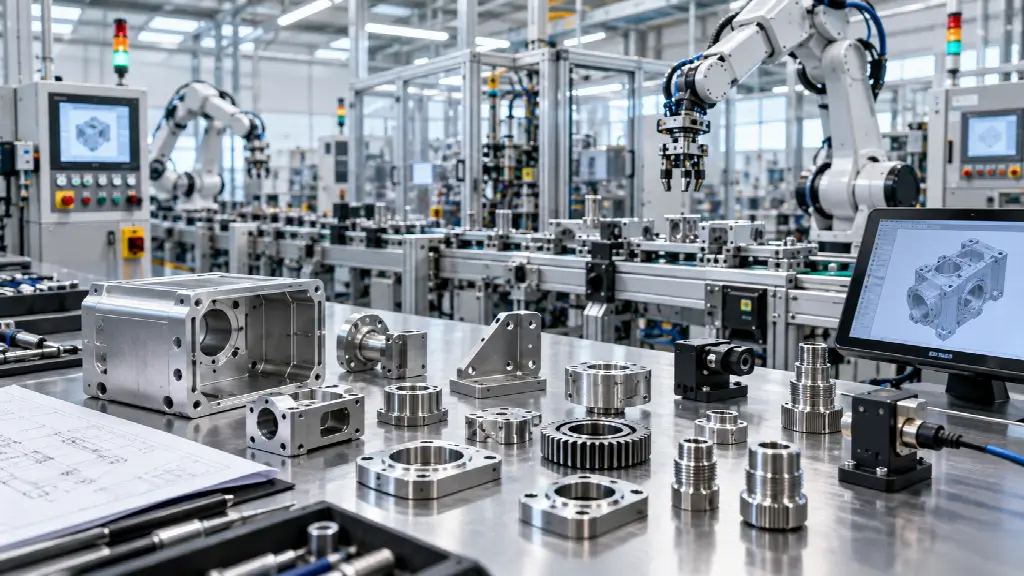
Industrial automation systems rarely operate entirely with off-the-shelf components. Even when a production line uses standardized robots, controllers, sensors, and conveyors, the equipment often needs custom brackets, fixtures, housings, guards, mounts, adapters, and tooling to work together effectively.
These components may appear relatively simple, but their design can directly affect positioning accuracy, repeatability, maintenance, safety, and production efficiency. A poorly fitted bracket can introduce vibration. An unsuitable enclosure can expose electronics to dust or moisture. A fixture with inconsistent tolerances can create problems that become more noticeable as production volumes increase.
1. Start With the Automation System’s Requirements
Before designing a custom component, identify exactly where it will be used and what role it will perform.
Industrial automation can include robotic arms, conveyors, machine vision systems, sensors, automated inspection equipment, CNC machines, and material-handling systems. Each application places different demands on supporting components.
OSHA’s overview of industrial robotics explains that robot systems can involve manipulators, controls, end-effectors, and other equipment working together.
A useful starting checklist includes:
- What equipment will the component connect to?
- What loads will it experience?
- How frequently will it move or cycle?
- Will it experience vibration?
- What temperatures will it encounter?
- Will it be exposed to oils, chemicals, dust, or moisture?
- Does it require precise positioning?
- Will workers regularly access the component?
- How often will it need inspection or replacement?
Defining these requirements early helps prevent a common mistake: designing the part around its appearance rather than its actual operating conditions.
For teams working with equipment in the Bay Area, for example, 3d printing in San Francisco can be one option to consider when developing physical prototypes for automation components, particularly when a design needs to be tested before committing to a larger production run.
A prototype can reveal clearance issues, mounting problems, interference between moving parts, and ergonomic concerns that may not be obvious in a CAD model.
TheNIST Robotics and Manufacturing Automation resource also provides useful background on automation applications such as machine tending, material handling, machine vision, and collaborative robotics.
2. Choose the Right Manufacturing Approach
Custom automation components can be produced using several manufacturing methods. The best option depends on the component’s geometry, material, quantity, tolerance requirements, and development stage.
Additive manufacturing
Additive manufacturing can be useful for prototypes, low-volume parts, lightweight structures, custom fixtures, and geometries that would be difficult to manufacture conventionally.
It can also support quick design iterations. An engineer can modify a CAD model, produce another version, test it, and make further changes without necessarily committing to dedicated tooling.
CNC machining
CNC machining is often appropriate when components require tight tolerances, strong materials, precise interfaces, or durable surfaces.
Machined aluminum, steel, stainless steel, and engineering plastics can be used for brackets, mounts, fixtures, plates, adapters, and other automation components.
Sheet metal fabrication
Sheet metal can be practical for electrical enclosures, protective covers, brackets, panels, and machine guards. It can provide structural rigidity while keeping certain components relatively lightweight.
Injection molding
For larger production volumes, injection molding may become more economical for appropriately designed plastic components. However, tooling costs and design requirements make it less attractive for some prototypes and low-volume applications.
The manufacturing process should therefore be selected alongside the component design rather than after the design has already been finalized.
3. Design Around Real-World Loads
A component that looks strong in a CAD model may behave differently when installed on a production machine.
Engineers should consider the forces that the component will experience during normal operation and unexpected events.
Static loads are only one consideration. Repeated motion can introduce fatigue, while sudden starts and stops can create dynamic loads. Robotic arms and automated actuators may also generate vibration or torque that affects nearby components.
For example, a sensor mount may need to remain rigid enough to maintain a consistent measurement position. A small amount of movement might not damage the mount, but it could affect the accuracy of the process being monitored.
When designing custom parts, consider:
- Tensile and compressive forces
- Bending loads
- Torsion
- Vibration
- Impact
- Repeated cycling
- Fastener loads
- Weight of attached equipment
Where possible, testing should reflect the actual operating conditions rather than relying entirely on theoretical calculations.
4. Account for Tolerances and Fit
Precision matters in automation because small dimensional variations can accumulate across an entire system.
A custom bracket might connect a robot, sensor, fixture, and conveyor. If every interface has a small deviation, the final position can differ considerably from the intended location.
This is why tolerance requirements should be established early.
Not every dimension needs extremely tight tolerances. Applying unnecessarily tight tolerances can increase manufacturing costs without improving performance.
Instead, identify the critical dimensions that affect:
- Alignment
- Movement
- Sensor positioning
- Fastener placement
- Interchangeability
- Clearance
- Repeatability
A practical tolerance strategy focuses precision where it contributes directly to system performance.
5. Select Materials for the Environment
Material selection should reflect the conditions surrounding the component.
Metal may be appropriate when strength, rigidity, heat resistance, or durability is important. Plastics may be useful where low weight, electrical insulation, corrosion resistance, or complex geometries are priorities.
The environment should also be considered.
A component installed near coolant or cutting fluids may need different material properties from one used in a clean, dry assembly area. Outdoor automation equipment may require resistance to UV exposure and changing temperatures.
For electronics housings, material selection can also affect heat management and protection from dust or moisture.
The goal is not necessarily to choose the strongest available material. It is to choose a material whose properties match the actual requirements.
6. Make Safety Part of the Component Design
Custom components used around industrial robots and machinery should be evaluated as part of the overall safety system.
OSHA notes that robot-related hazards can occur during non-routine activities such as programming, maintenance, testing, setup, and adjustment.
This means a component should not be considered safe simply because it works during normal production.
For example, a guard may need to prevent access to hazardous moving equipment while still allowing maintenance personnel to reach required areas. A fixture may need to hold a workpiece securely without creating unnecessary pinch points.
Safety considerations may include:
- Guarding
- Access points
- Pinch and crush hazards
- Sharp edges
- Fastener security
- Emergency access
- Maintenance procedures
- Interaction with existing safety systems
OSHA also references standards and guidance covering robot systems, integrated manufacturing systems, and end-effectors.
Safety should therefore be considered during initial design rather than treated as an inspection step at the end.
7. Design for Maintenance and Replacement
An automation component can be technically successful but still create operational problems if it is difficult to maintain.
Consider what happens when the component needs adjustment, cleaning, inspection, or replacement.
Can technicians access the fasteners? Can the component be removed without dismantling unrelated equipment? Are wear parts replaceable? Does the design require specialized tools?
For components used frequently, these details can have a meaningful effect on downtime.
A replaceable mounting plate, for example, may be more practical than an entire custom assembly if only one surface is expected to wear.
Good maintenance-oriented design considers the full life of the component rather than only the installation process.
8. Use Prototypes to Validate the Design
Prototyping is particularly valuable when a component interacts with several pieces of automation equipment.
A prototype can be used to check:
- Physical fit
- Cable routing
- Tool access
- Clearance
- Ergonomics
- Sensor visibility
- Fastener access
- Moving-part interference
Digital models are valuable, but physical testing can reveal issues caused by assembly sequence, unexpected movement, operator access, or manufacturing variation.
Rapid prototyping can also support multiple design iterations before a final manufacturing method is selected.
For low-volume or highly customized components, this iterative process can reduce the risk of producing a large batch of parts based on an untested design.
9. Consider Standardization Alongside Customization
Customization does not mean every part needs to be completely unique.
Where possible, designers can standardize mounting patterns, fasteners, hole sizes, interfaces, and replaceable components across an automation system.
Standardization can simplify:
- Inventory management
- Maintenance
- Technician training
- Replacement
- Future modifications
- Documentation
NIST’s work on smart manufacturing highlights the importance of interoperability, performance measurement, and integration when developing advanced manufacturing systems.
A modular approach can make future automation changes easier because new components can be designed around established interfaces.
10. Plan for Future Changes
Production environments rarely remain unchanged for the entire life of an automation system.
A new product may require a different fixture. A sensor may be upgraded. A robot may be repositioned. Production volumes may increase. A manual operation may eventually become automated.
Custom components should therefore be designed with reasonable flexibility where practical.
For example, a mounting plate could include additional mounting positions if they do not compromise strength or create unnecessary complexity. A modular fixture could accommodate several product variations rather than requiring a completely new assembly for each one.
Planning for foreseeable changes can reduce redesign work later.
Conclusion
Custom components play an important role in making industrial automation systems work as integrated systems rather than collections of individual machines. Brackets, fixtures, mounts, guards, housings, adapters, and tooling all influence how effectively equipment operates.
The strongest approach begins with the system’s actual requirements and considers manufacturing method, material selection, tolerances, loads, safety, maintenance, and future modifications together.
Prototyping can provide another layer of validation before production, while standardized interfaces can make future upgrades and maintenance easier. By treating custom components as part of the overall automation strategy, manufacturers can develop solutions that are practical, maintainable, and suited to their specific operating environment.
FAQs
1. What are common custom components used in industrial automation?
Common examples include robotic end-effectors, machine fixtures, sensor mounts, brackets, equipment housings, protective guards, conveyor components, alignment tools, adapters, and custom tooling. The exact component depends on the machinery, production process, workspace, and level of automation involved.
2. Is 3D printing suitable for industrial automation components?
3D printing can be useful for prototypes, custom fixtures, lightweight parts, guides, brackets, and low-volume components. Its suitability depends on factors such as required strength, temperature, wear, dimensional accuracy, production quantity, and material. Critical production components may require other manufacturing processes.
3. What should be considered when designing custom automation parts?
Designers should consider loads, tolerances, materials, manufacturing method, safety, maintenance access, environmental exposure, assembly requirements, and future modifications. Testing a prototype before full production can also help identify clearance, fit, alignment, and usability issues early.
